
Home / DSRAZOR for Windows
Querying Active Directory Objects and Attributes
with DSRAZOR for Windows - a suite of Active Directory, file permission, and server management tools.
- Query Active Directory security attributes
- Query Active Directory user objects
- Seamlessly manage Active Directory objects from within your report
DSRAZOR for Windows
makes finding and documenting critical Active Directory data a breeze. Quickly find and address security weaknesses directly from your query.
DSRAZOR helps you efficiently manage and secure Active Directory without hassle.
Search through Active Directory data and create reports
- No scripting required
- Intuitive graphical interface makes it easy to perform and automate tedious Active Directory searches
- Modify queried objects directly from your report
- Quickly disable/delete objects, add missing attributes, remove unwanted permissions, and more
- Fully customizable
- Each query can be fully customized using pre-built rules and filters. DSRAZOR includes rule filters to retrieve even obscure attribute values such as the user "Send As", "Allowed to Authenticate", "Receive As", "User Change Password" and "User Force Change Password".
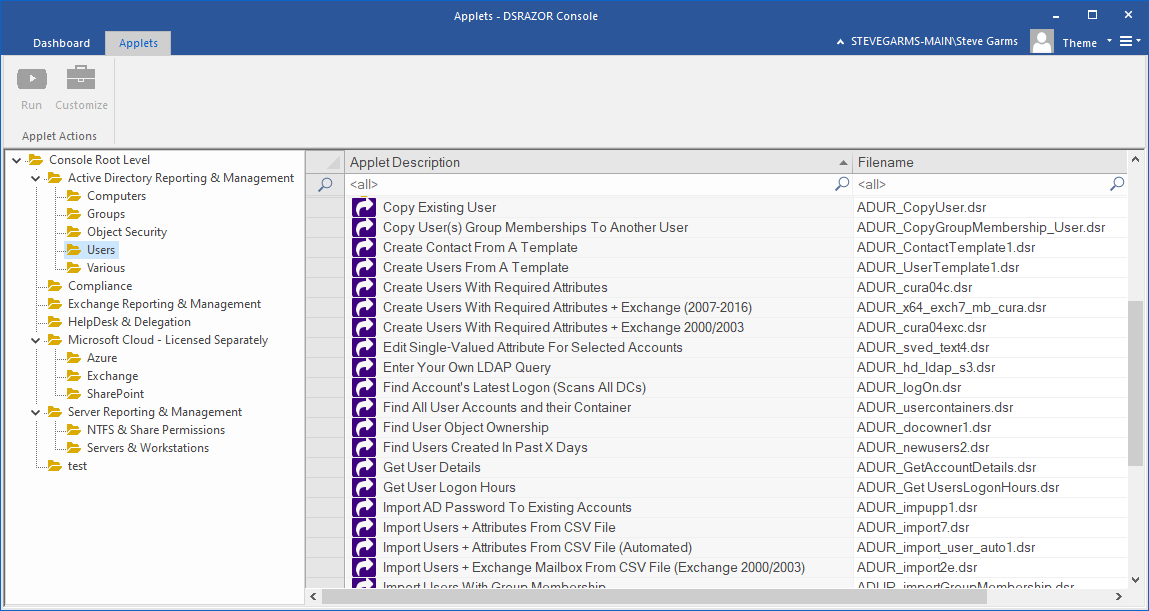
Run reports to quickly find:
- Last Logon Time per User, per Domain Controller
- Users created within the past 7 days
- Objects with GPO(s) defined
- Computer Accounts that haven't logged on within the past 30 days
- Trustees with Administrative permissions
- Objects with the same profile path
- Accounts with a null ACL (where everyone has full permission)
- Invalid SIDs in ACL Trustees (plus the ability to remove them)
- ACEs (individual entries within ACLs) that deny permissions
- Effective and inherited permissions
- Accounts whose last logon failed
- Accounts locked by intruder detection
- And much more!
Get a free trial of DSRAZOR for Windows today!
DSRAZOR includes 1 YEAR of our world class support!
Unlimited Training
We'll make sure you can take advantage of everything DSRAZOR has to offer.
Unlimited Support
Our rapid-response support team can assist with any questions you may have.
Custom Applet Design
Need more? Just ask! We'll create a custom solution that fits your needs.
