
Click here for Active Directory Documentation, Users, Groups and more!
Auditing Active Directory Changes and Receiving Activity Alerts
with CPTRAX for Windows
- Monitor AD for changes in real time
- Identify username, workstation, and IP address of users making changes
- Remain in compliance
- Receive email alerts as soon as actions of interest occur
- Quickly detect and automatically stop threats - Learn More
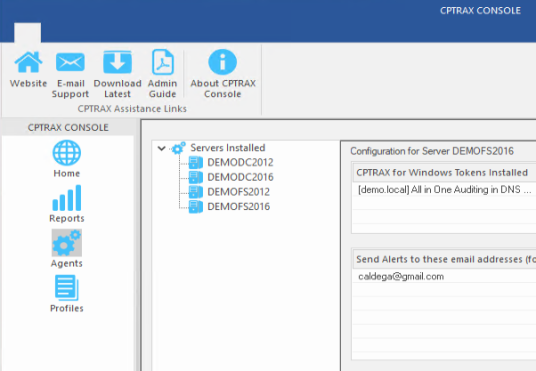
Track changes to Active Directory What users/groups/computers were recently created? Who changed a user attribute?
CPTRAX for Windows lets you easily perform real-time Active Directory auditing and monitoring. Audit Active Directory changes as they occur and quickly provide auditors with the AD change details they require to remain in compliance.
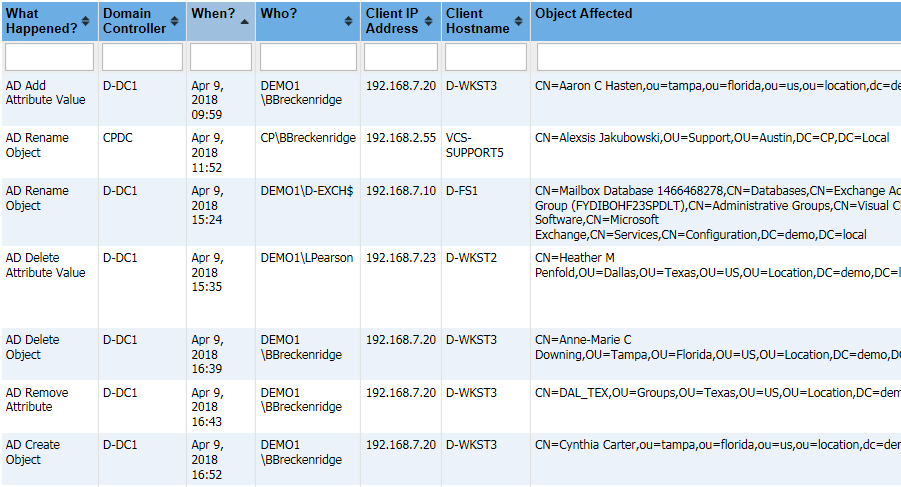
Filter reports by action details
Reports will contain the following information about who has made changes within Active Directory. Reports can be customized and filtered based on these attributes.- Username (LDAP or SAM account name)
- Workstation name
- Workstation IP address
- Domain Controller processing the request
- Security identifier (SID)
Profile AD activity by specific types of changes
CPTRAX will audit Active Directory based on any combinations of the below criteria that you choose. This simplifies reporting and keeps your log file sizes under control.Object class
- Object created
- Object deleted
- Object modified
Attribute
- Attribute value added
- Attribute value removed
- Attribute value modified
Specific object
- All object changes
- Attribute value removed
- Attribute value modified
Schema changes
- Object classes created
- Attribute definitions created
Real-time email alerts
Know immediately when an action of interest occurs. CPTRAX can send you and your staff an email when certain Active Directory activities occur, while
quietly auditing everything else.
Quickly Detect and Automatically Stop Threats
Detect threats with Pattern alerts which can be configured to alert you when interesting actions occur repeatedly on your Windows servers such as mass file deletions or ransomware behavior. Optionally call a PowerShell script to immediately stop the action from happening. Learn More
Other features
- Customizable tracking profiles
- Central management console
- Automated report scheduling
- Centralized log files
- Encrypted Log Files
- Send log data to Microsoft SQL Server (Optional)
- Send event messages to Syslog Server (Optional)
Get a free trial of CPTRAX for Windows today!
CPTRAX includes 1 YEAR of our world class support!
Assisted Installation
Our team will help you implement CPTRAX from start to finish.
Unlimited Training
We'll make sure you can get the information you need out of CPTRAX.
Unlimited Support
Our rapid-response support team can assist with any questions you may have.
