
Creating and Managing AD Users from a CSV File
with DSRAZOR for Windows - a suite of Active Directory, file permission, and server management tools.
- Create or modify Active Directory users from a CSV file
- Automatically create Exchange mailboxes and set group memberships
- Specify a password for users created in bulk, or have passwords randomly assigned
- Perform bulk changes of existing users' security settings
- Automatically synchronize your Student Information System (SIS) to Active Directory
DSRAZOR for Windows helps you cut through bulk user creation and management.
Import Active Directory users and their attributes from a CSV file and automatically perform related tasks, including home directory creation, mailbox creation, group membership assignment, synchronizing your Student Information System (SIS) to Active Directory and more.
Create Active Directory users from a CSV file
Bulk user creation is a breeze with DSRAZOR. When creating users from a CSV, DSRAZOR can automatically create home directories and set group memberships for those users.
- Create Active Directory users from a CSV file
- Exchange mailbox and home directory can be created at the time of user creation
- Specify user attributes
- Specify the user's password, their profile path, their department, set their group membership, and more

Modify Active Directory users using a CSV file
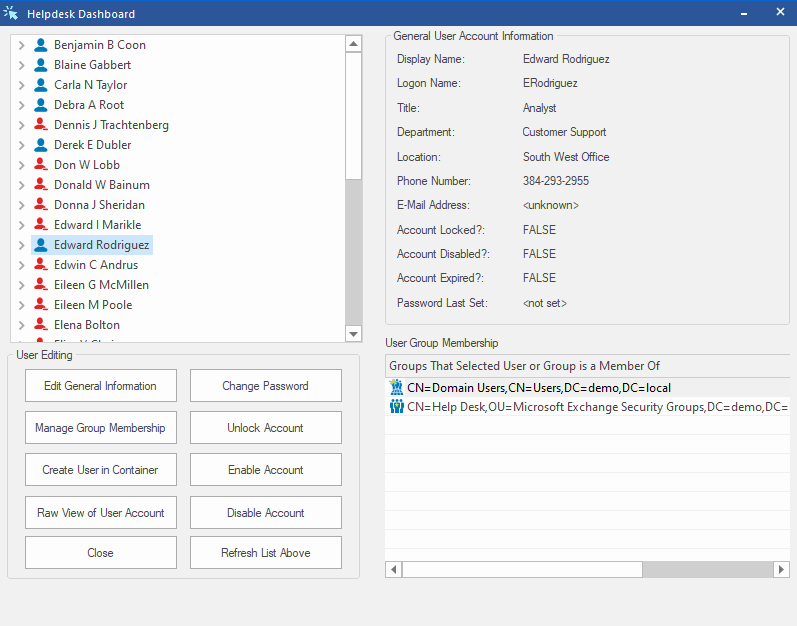
DSRAZOR lets you quickly perform bulk password resets and make mass changes of Active Directory user attributes.
- Modify Active Directory users from a CSV file
- Reset passwords, change profile paths, update home directories, move user files to new home directory, update multiple attributes, and more
- Remove users from Active Directory in bulk
- Smart delete feature removes home directories, Exchange mailboxes, and deletes/moves user accounts with a single click. Remove many users from Active Directory in a snap
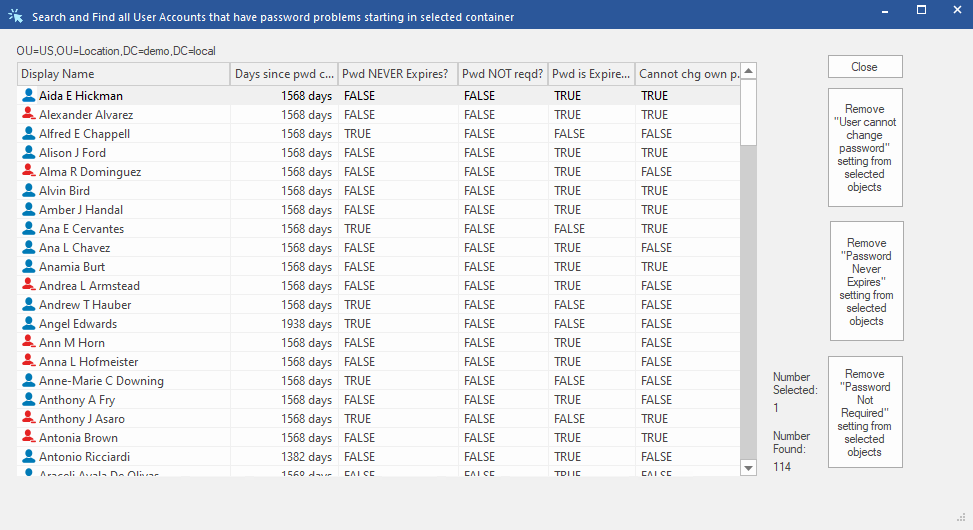
Perform bulk changes of existing Active Directory user security settings
Here are just some of the user security settings you can change in bulk using DSRAZOR:
- Assign Single-Use Password for selected Active Directory Users
- Block Inheritance and remove Inherited permissions
- Block Inheritance and copy Inherited permissions
- Remove "Password Never Expires" for Active Directory Users
- Remove "Password Not Required" for Active Directory Users
- Remove "User cannot change password" for Active Directory Users
- Set Account Expiration Date for Active Directory Users
- Set "User cannot change password" on Active Directory Users
- Document if User's Account has Dial-In permission
- Document Access Control List (ACL) details for all objects in the selected container
- Expire Active Directory user's password (requires users to change password at next logon)
Get a free trial of DSRAZOR for Windows today!
DSRAZOR includes 1 YEAR of our world class support!
Unlimited Training
We'll make sure you can take advantage of everything DSRAZOR has to offer.
Unlimited Support
Our rapid-response support team can assist with any questions you may have.
Custom Applet Design
Need more? Just ask! We'll create a custom solution that fits your needs.
