
Active Directory User Account Management Plus Delegation
DSRAZOR for Windows
- Manage Active Directory user accounts
- Create/Delete/Modify Active Directory users
- Delegate user account management to helpdesk staff
- Automatically synchronize your Student Information System (SIS) to Active Directory
Manage Active Directory user accounts
Simplify your job by staying on top of Active Directory management tasks. With DSRAZOR for Windows, you can quickly perform and even automate your user management tasks, such as...
- Create/Import/Update users
- Delete/Move unused users
- Reset passwords in bulk
- Perform mass object imports from a CSV file
- Modify trustee permissions for desired Folders
- and much more!
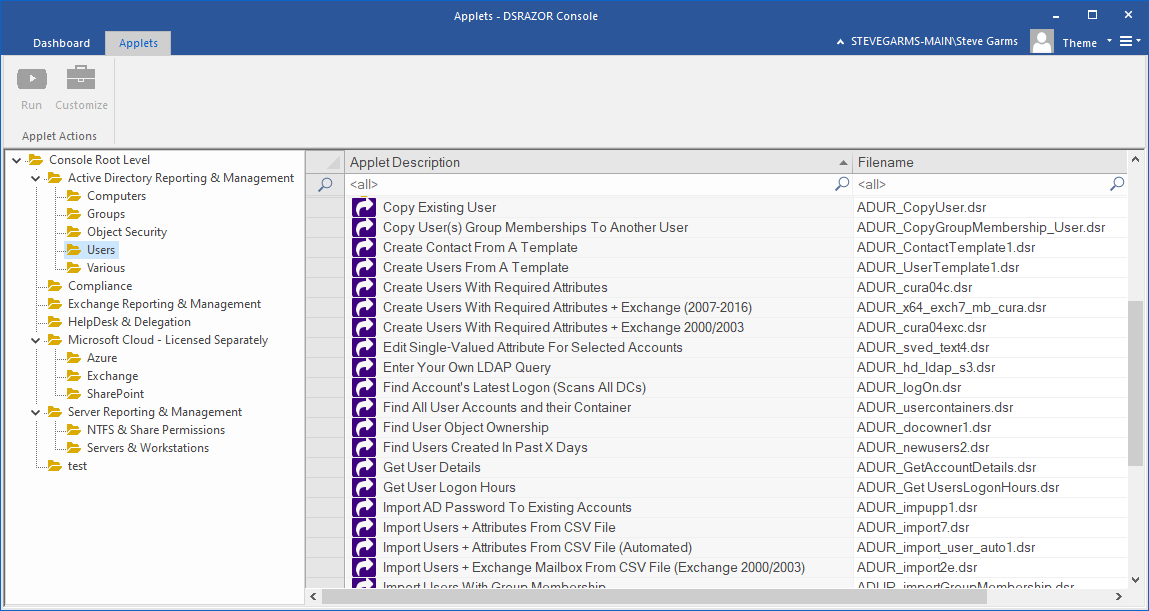
Delegate user account management to your helpdesk staff
DSRAZOR gives you the power to delegate your Active Directory user account management duties.
With the Zero Privilege Help Desk (licensed separately, requires DSRAZOR for Windows) your help desk operators will no longer require Domain Admin rights. The Zero Privilege Help Desk enables your non-admin users to complete their work without compromising your control and security.
Maintains an audit log of what data is being changed and by who.
Free Trial Request a Demo Request a Quote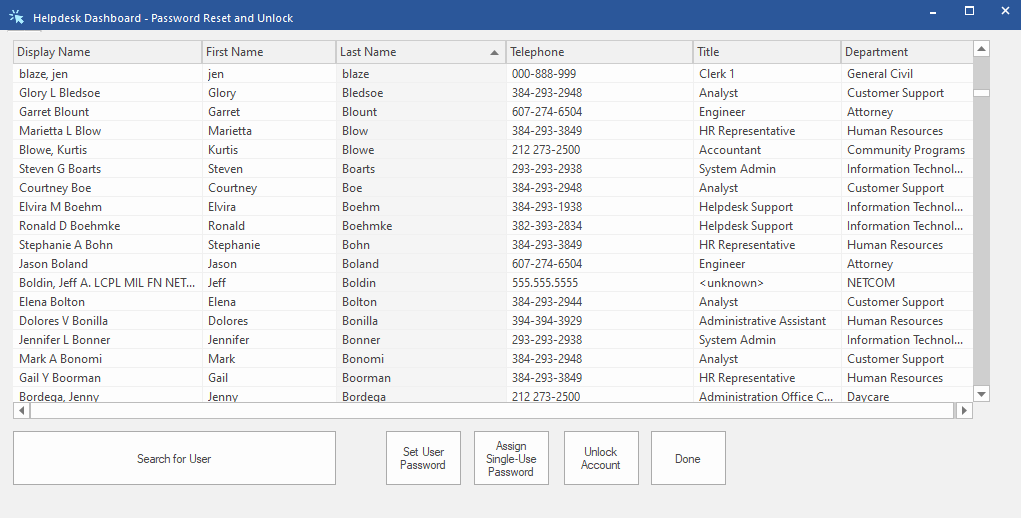
Effectively manage Active Directory
DSRAZOR for Windows is an ideal choice for system administrators who need highly functional Active Directory (AD) management tools.
- No scripting required
- Intuitive graphical interface makes it easy to perform and automate tedious Active Directory management tasks
- Fully customizable
- Each solution can be fully modified, from the scope of which Active Directory objects the applet can modify, to the behavior of each applet's function
- Easily delegate Active Directory management tasks
- Each solution can be saved as an individual application and distributed for other users to utilize
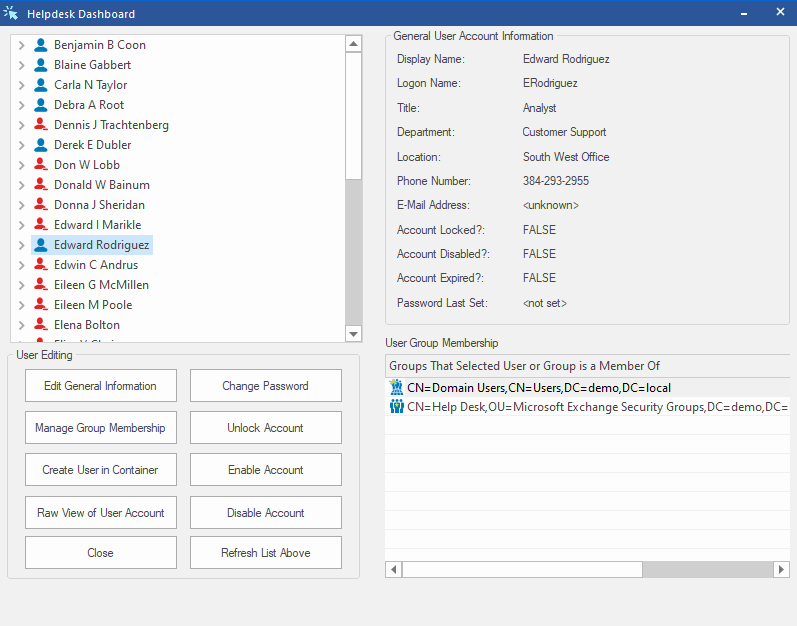
A sample of user account management applets included in DSRAZOR for Windows:
- Add Profile Path to user accounts without one
- Add Exchange Mailbox to Selected Accounts
- Change Home Directory
- Change Home Directory Path - optionally create new path and assign user as owner with full permissions to use the directory
- Change Manager for Users
- Change Profile Path - any component: server name, share and directory
- Copy Existing Group
- Copy Existing User
- Copy Group Memberships
- Create Contact from a Template
- Create Users from a Template plus Required Attributes
- Create Users with Required Attributes + Exchange Mailbox
- Delete Exchange Mailbox for Selected Accounts
- Delete Exchange Mailboxes from CSV File
- Disable old accounts
- Discover accounts with password problems and remediate - problems such as password never expires, password not required, user cannot change their own password, and password is expired
- Edit Single-Valued Attribute for Selected Accounts
- Find user accounts with no Home Directory and assign one
- Import Active Directory Password to new or existing accounts
- Import Computers + Attributes from CSV File (can be automated)
- Import Exchange Contacts from CSV File
- Import Groups from CSV File
- Import Users + Attributes from CSV File (can be automated)
- Import Users + Exchange Mailbox from CSV File
- Import Users with Group Membership
- Import Users with random passwords
- Manage Terminal Services Profile
- Mandate selected attributes be populated prior to user creation - ensure accounts are properly created.
- Move Active Directory Object to a New Container
- Password Security Settings for User Accounts
- Remove SID History
- Smart Delete (Deletes: User Account, Exchange Account and Home Directory!)
- Unlock User Accounts
- View Home Directory Sizes
Get a free trial of DSRAZOR for Windows today!
DSRAZOR includes 1 YEAR of our world class support!
Unlimited Training
We'll make sure you can take advantage of everything DSRAZOR has to offer.
Unlimited Support
Our rapid-response support team can assist with any questions you may have.
Custom Applet Design
Need more? Just ask! We'll create a custom solution that fits your needs.
