
Home / DSRAZOR for Windows
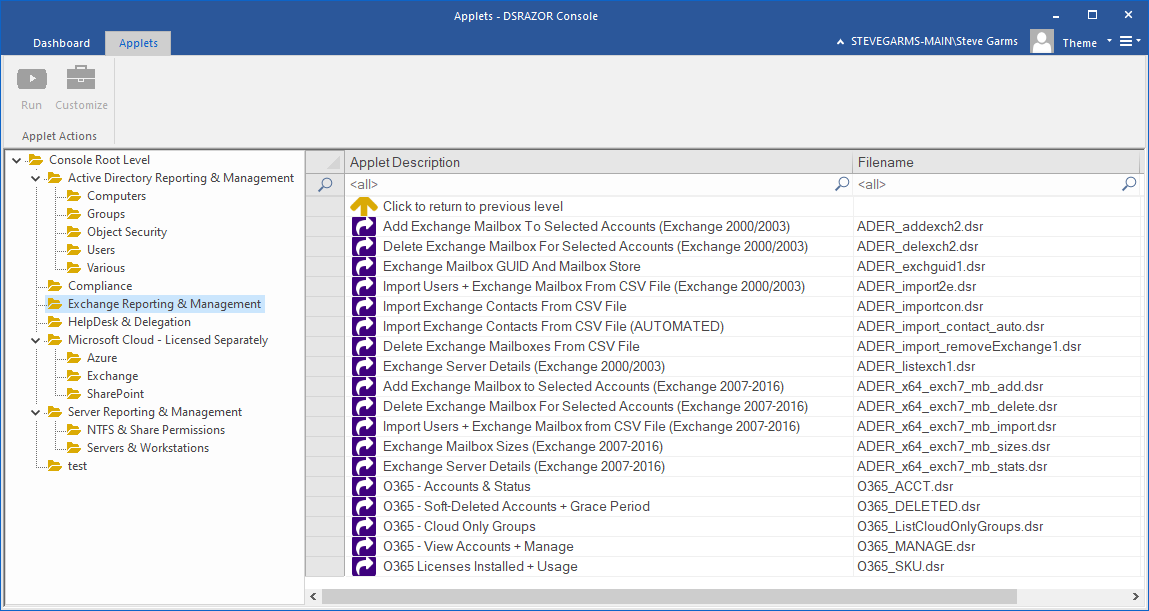
Exchange Mailbox Size Report Microsoft Exchange
DSRAZOR for Windows
- Audit Exchange mailbox account sizes
- Document Exchange server details
Document Exchange mailbox account sizes
DSRAZOR for Windows will help you keep tabs on your Exchange 2007/2010/2013/2016 mailbox and server settings.
Exchange mailbox details provided by DSRAZOR for Windows:
- Mailbox display name
- Database
- Primary SMTP email address
- Number of emails
- Total size of emails
- Number of deleted emails
- Total size of deleted emails
- Storage limit status
- Last logon account name for mailbox
- Last logon date and time for mailbox
- Was last logon by account holder?
Free Trial Request a Demo Request a Quote

Exchange server details provided by DSRAZOR for Windows:
Mailbox stores
- Storage group
- Server
- Organization
- GUID
- Database Path (.edb)
- Name
- Administrative group
Free Trial Request a Demo Request a Quote
Get a free trial of DSRAZOR for Windows today!
DSRAZOR includes 1 YEAR of our world class support!
Unlimited Training
We'll make sure you can take advantage of everything DSRAZOR has to offer.
Unlimited Support
Our rapid-response support team can assist with any questions you may have.
Custom Applet Design
Need more? Just ask! We'll create a custom solution that fits your needs.
