Reporting and Managing Windows NTFS Permissions
with DSRAZOR for Windows - a suite of Active Directory, file permission, and server management tools.
- Find out who has access to your files: quickly audit NTFS permissions
- Add, remove, and modify permissions
- Modify file trustee status
- Discover and clean up old and unused files
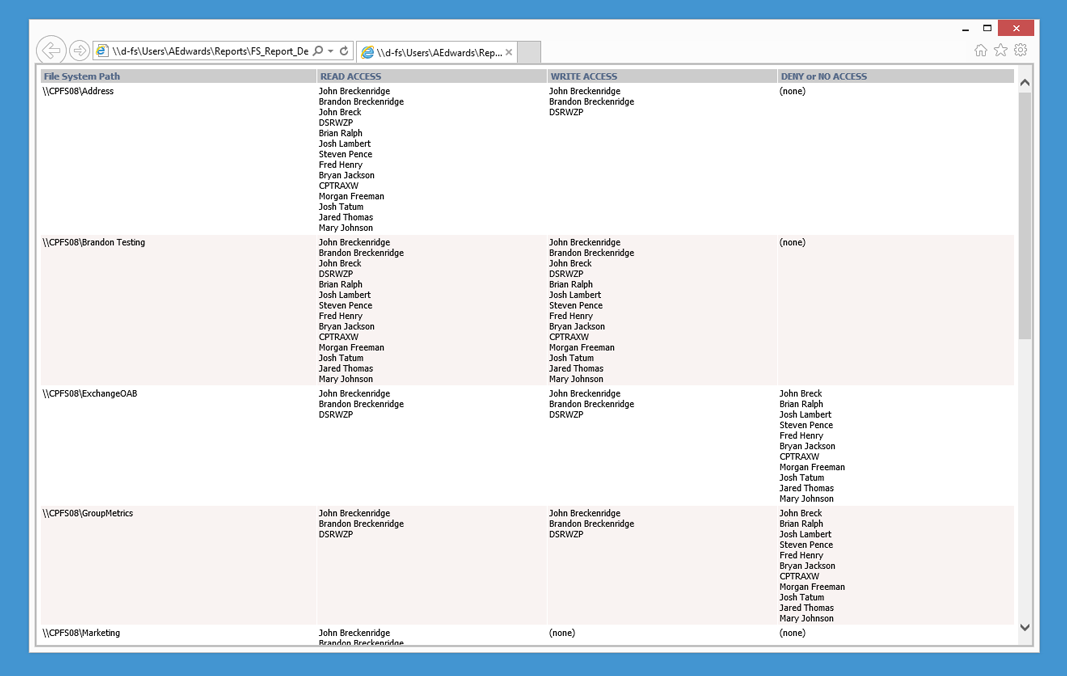
The DSRAZOR for Windows File System Permissions Reporter saves you time and headache by auditing file permissions and providing easy-to-read reports.
Discover which permissions are defined in your files and folders and
to whom they are assigned.
Quickly find out Which users can access my files? and What permissions do they have?
Quickly list file and folder NTFS permissions
DSRAZOR provides simple reports that detail the type of access that users and groups have to your files.
- Report effective NTFS permissions
- Effective NTFS permissions are provided in a simple report.
Detailed reports can be ran for ACL documentation, explicit and inherited permissions, blocked inheritance, and orphaned SID trustees
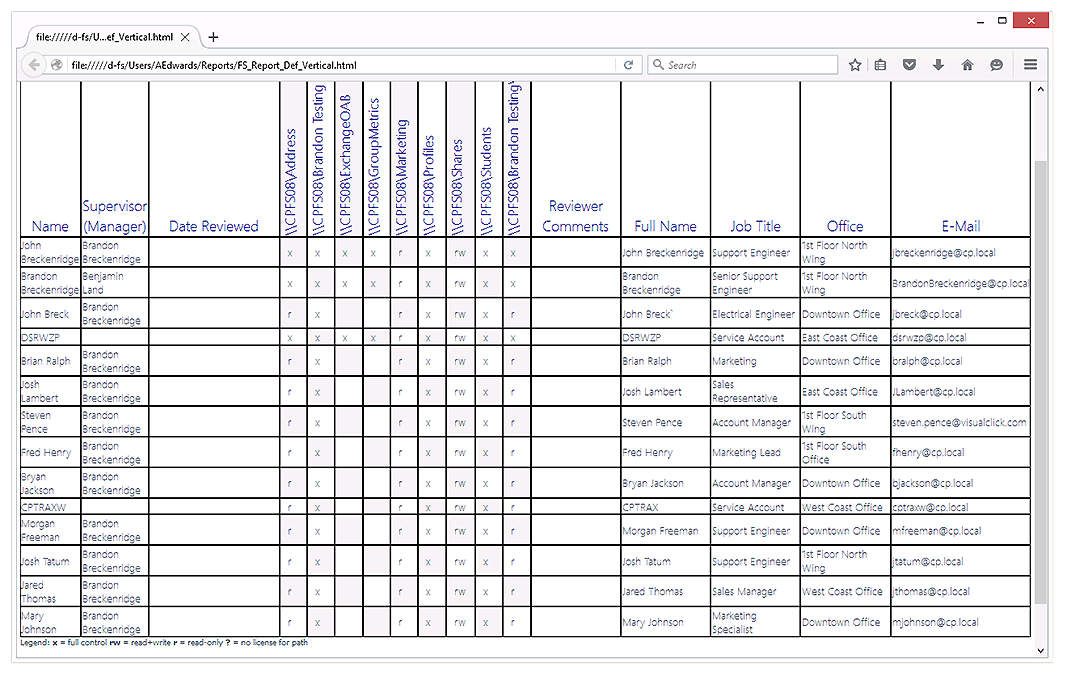
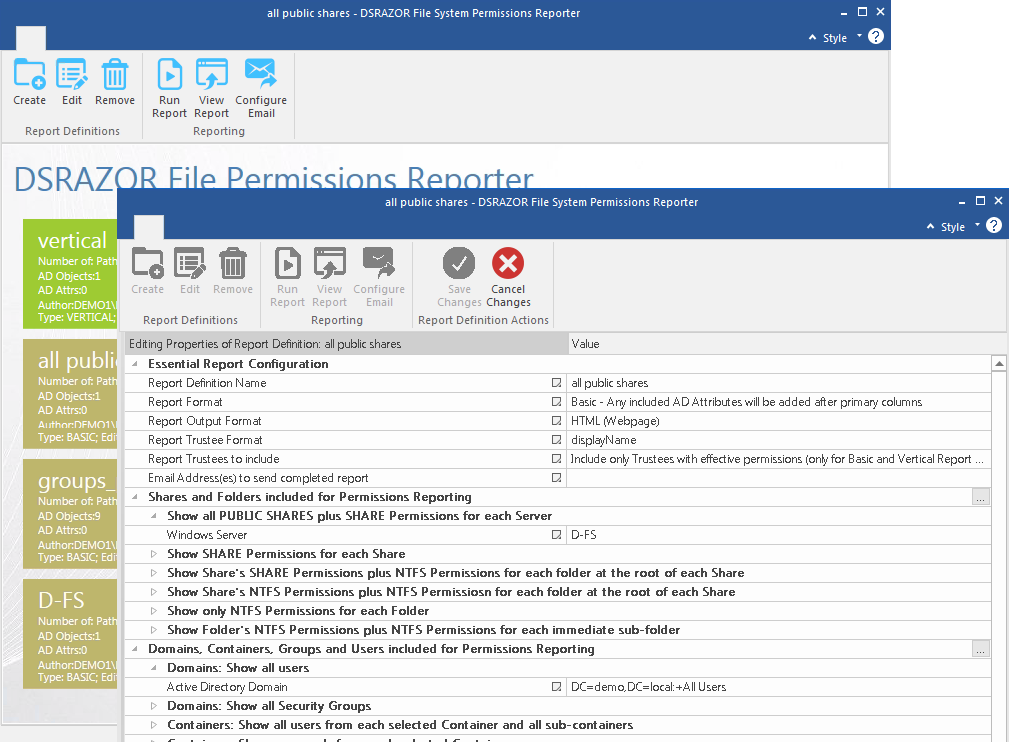
- Customizable file permission reports
- Select the server, share, folder, or specific files on which you'd like to report permissions.
Specify the trustees (users and groups) of which to enumerate permissions, or have all effective permissions reported.
Reports can include Active Directory attributes for each trustee, including their Title, Office, Department, and assigned Manager
See what else DSRAZOR can do for you!
Manage NTFS security permissions
Find and remove unwanted NTFS file security permissions. Find old and unused files. Search for files by type, such as music and movie files. Discover the owner of files.
- Find and remove unwanted file security permissions
- Modify existing permissions directly from a trustee report
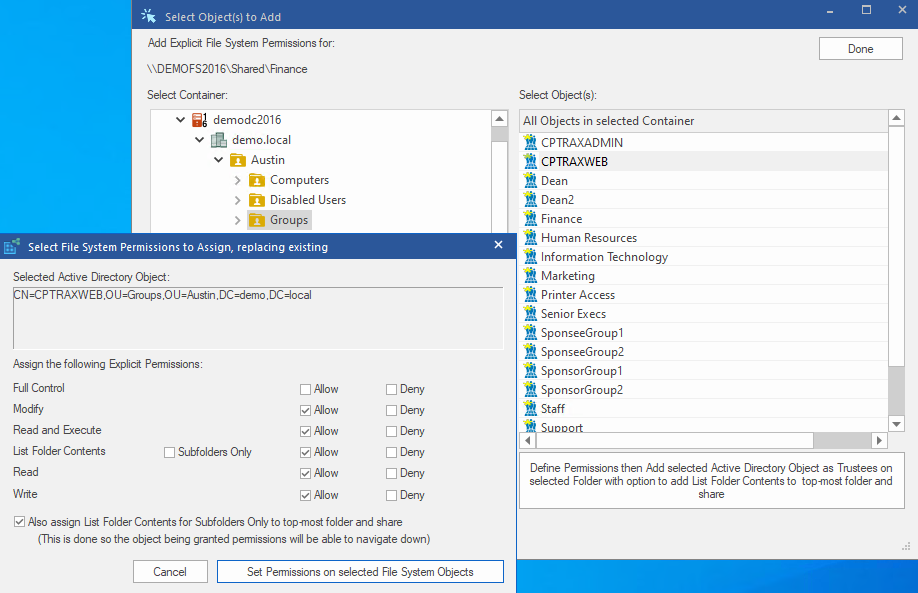
- Add a user or group to permissions on a file or folder
- Define permissions for a new trustee
- including applying List Folder Contents all the way to the top most folder and share.
See what else DSRAZOR can do for you!
Quick and Easy File System Administration
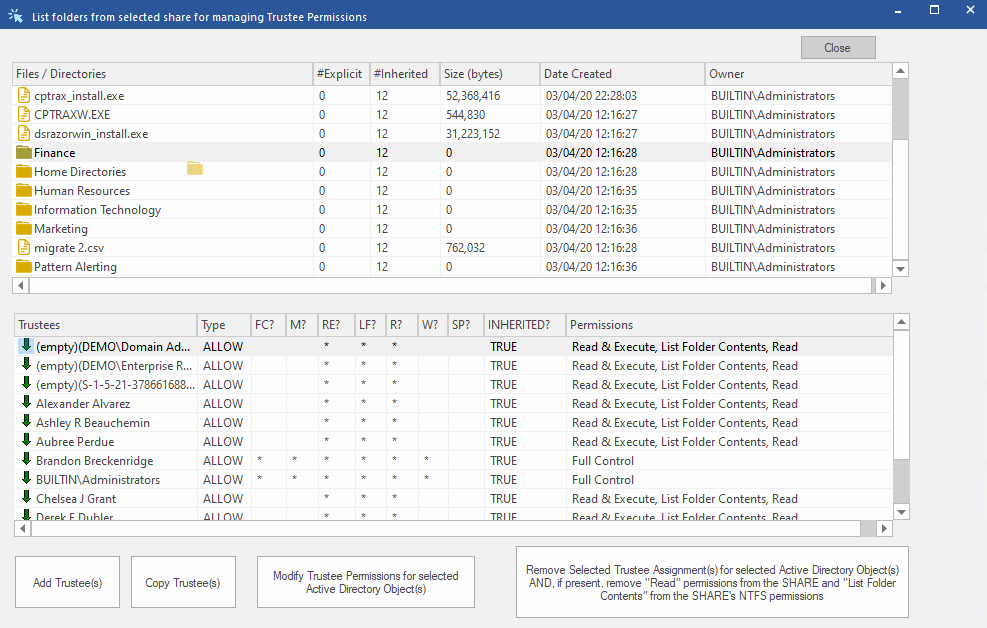
DSRAZOR for Windows can add, remove or modify permissions for both users and security groups.
- Add Trustee(s)
- Copy Trustee(s)
- Modify Trustee permissions for selected AD object
- Remove Trustee assignments for selected AD object
- Remove 'Read' permissions from the SHARE
- Remove 'List Folder Contents' from the SHARE's NTFS permissions
- Find files/folders with no owner (Orphand SID) and remove
See what else DSRAZOR can do for you!
Here are some of the things DSRAZOR can do right out of the box!
File Documentation
- Search for all files by type (*.MP3, *.WMV, etc)
- Find directories and files owned by a specific user
- Report disk space usage for servers and workstations
- Find file extensions in-use and the disk space each consumes
- List files unused for a specified time period
- Filter by any property of directories and files (i.e. find all read-only files)
- Find duplicate files
File and Folder Permissions Management
- Add, Remove, Copy, and Modify explicit trustee permissions
- Remove file system Access Control Entry (ACE) from ACL
File and Folder Permissions Reporting
- List where the administrative trustees and owner are defined by a file
- List whether Trustees and Owner are defined by File or Folder
- Find where permission inheritance is blocked
- Find where invalid SIDs are trustees
- Find where NULL ACLs exist (Find where everyone has full access)
- List files where no owner is defined (orphaned SID)
- Find directory and file ownership
- Document ACL details for all file system objects in a selected share or directory
- Discover how effective file permissions were obtained
Get a free trial of DSRAZOR for Windows today!
DSRAZOR includes 1 YEAR of our world class support!
Unlimited Training
We'll make sure you can take advantage of everything DSRAZOR has to offer.
Unlimited Support
Our rapid-response support team can assist with any questions you may have.
Custom Applet Design
Need more? Just ask! We'll create a custom solution that fits your needs.