
Home / DSRAZOR for Windows
Active Directory User Account Password Reports and Management
DSRAZOR for Windows
- Quickly audit Active Directory user account password settings
- Easily modify Active Directory user account password settings
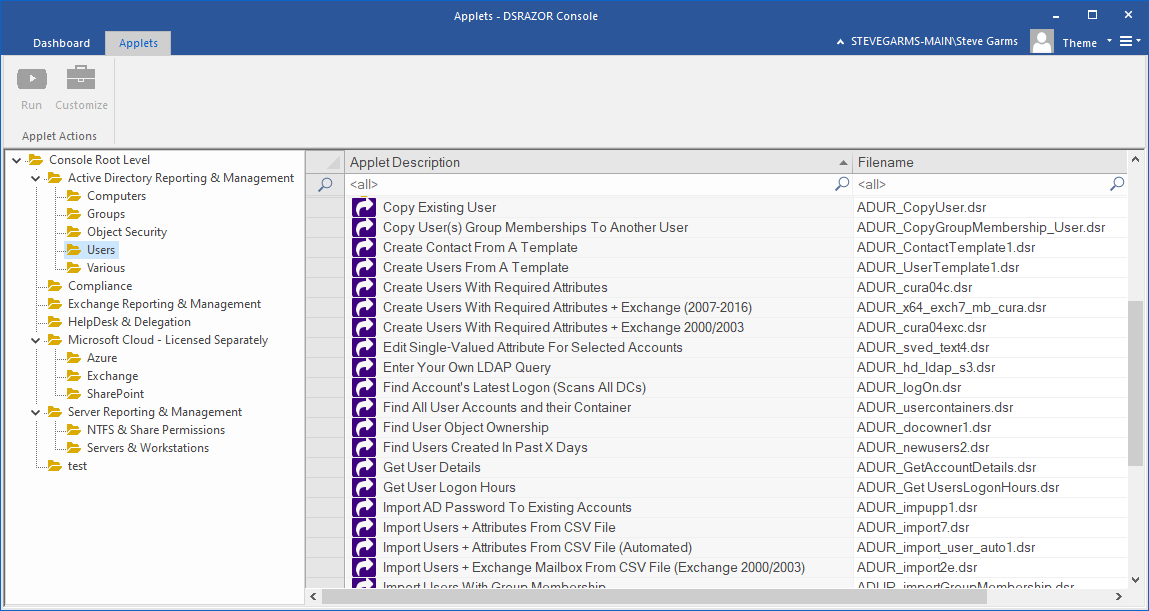
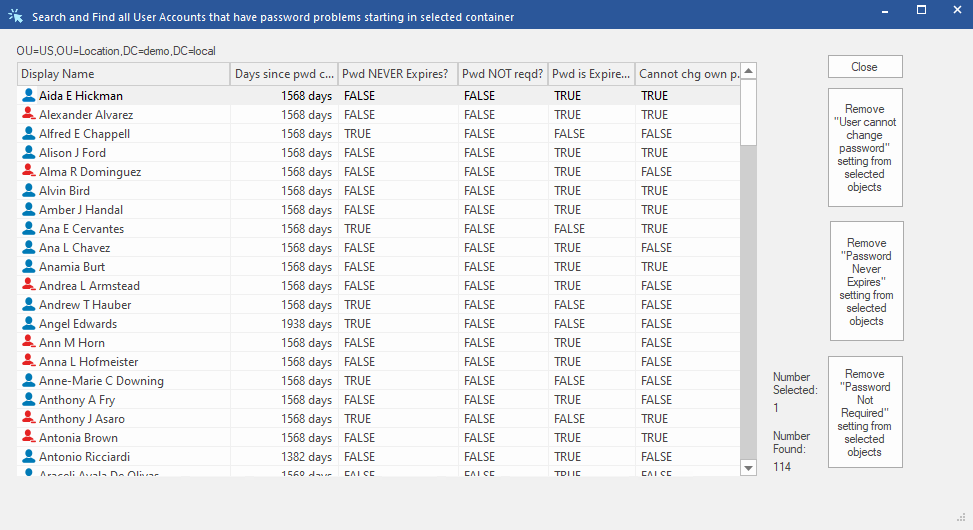
As an Active Directory administrator, you may be tasked with ensuring that your company's password policies are met by certain users. This can include enforcing a password requirement, a password expiration date, and a maximum password age. DSRAZOR for Windows allows you to quickly report on the status of common flags of the userAccountControl attribute, including "Password Never Expires," "No password required," "User cannot change password," and the number of days since their password was last changed.
DSRAZOR then allows you to easily modify the common userAccountControl flags pertaining to password policies to ensure all user accounts are in compliance.
Audit password settings for Active Directory user accounts
Find Active Directory user accounts whose password settings do not match your company's password policy with DSRAZOR for Windows.
- Report on password age
- Find out which user accounts haven't changed their passwords recently
- Report on specific password policy settings
- Including "Password never expires", "Password is expired", "No password is required", and "User cannot change password"
- Export lists of reported users
- Reports can be exported as CSV, text, or HTML files
Modify password settings for Active Directory user accounts
Easily ensure user account passwords match your company's policy by modifying password settings directly from your report!
- Modify password settings for returned accounts
- Adjust any user account's out-of-compliance userAccountControl password flags from within the report. Multiple user accounts can be modified at the same time
- Delegate password compliance tasks to other staff
- Use the Zero Privilege Help Desk to delegate user account password administration tasks to other staff without providing them
administrative privileges
Get a free trial of DSRAZOR for Windows today!
DSRAZOR includes 1 YEAR of our world class support!
Unlimited Training
We'll make sure you can take advantage of everything DSRAZOR has to offer.
Unlimited Support
Our rapid-response support team can assist with any questions you may have.
Custom Applet Design
Need more? Just ask! We'll create a custom solution that fits your needs.
