
Active Directory Bulk Group Creation from a CSV file
DSRAZOR for Windows
- Create or modify Active Directory groups from a CSV file
- Import and manage group memberships
Creating and managing multiple groups in Active Directory is a time-consuming task. DSRAZOR for Windows takes the hassle out of creating multiple groups and managing their memberships by allowing you to import Active Directory groups and their members from a CSV file. With the ability to
to automate group membership assignment, create Exchange Distribution Groups, and copy an existing group's membership to another group, DSRAZOR allows you to maximize the efficiency of your IT resources.
Create Active Directory groups from a CSV file
Bulk group creation is a breeze with DSRAZOR. When creating groups from a CSV, DSRAZOR can automatically add users to the group and specify group attributes.
- Create Active Directory groups from a CSV file
- Create and import multiple groups and specify attributes
- Define group membership
- Quickly add existing users to new groups

Manage Active Directory groups and their membership
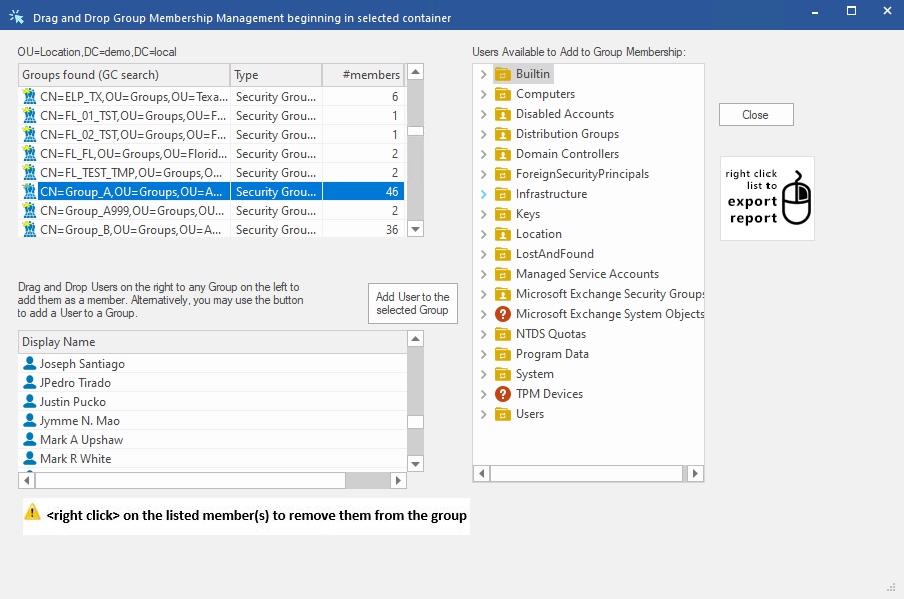
DSRAZOR lets you quickly perform bulk Active Directory group and group membership changes.
- Manage Active Directory groups from the DSRAZOR interface or from a CSV
- Add and remove group members and edit the groups' attributes
- Copy a group's membership to another group
- Add all of a groups' members to another group
- Copy existing Groups (including its membership)
- Create a copy of a group, including its members, and modify it
Get a free trial of DSRAZOR for Windows today!
DSRAZOR includes 1 YEAR of our world class support!
Unlimited Training
We'll make sure you can take advantage of everything DSRAZOR has to offer.
Unlimited Support
Our rapid-response support team can assist with any questions you may have.
Custom Applet Design
Need more? Just ask! We'll create a custom solution that fits your needs.
