|
|
|
Below we present our
DSRAZOR White Paper.
Click here
to download the White Paper in Word97.
|
|
Click here
to view the White Paper in Acrobat
Reader.
|
 |
Securing and Maintaining NDS & NetWare
using DSRAZOR |
|
| By: |
John T. McCann
Lead Product
Architect
Visual Click Software, Inc.
|
| Introduction
|
Novell's NetWare is one of the most
widely used network operating systems (NOS) in the world. And Novell's Directory
Service (NDS) is recognized as one of the most powerful general purpose
Directory Services available today.
Together, Novell's NetWare NOS and
NDS provide a platform for distributed file services and directory services. As
delivered by Novell, the NOS and NDS have several interactive commands and
utilities for viewing, editing and maintaining their configurations. In fact,
these configurations are actually repositories of data. These data are stored in
various locations throughout the network. Unfortunately, Novell does not provide
a comprehensive as well as flexible facility for assessing, querying and
maintaining these data. Proper security and maintenance of the NetWare NOS and
NDS requires more than what is provided 'out of the box.'
Visual Click Software's DSRAZOR provides a solution to comprehensively secure, query and maintain
Novell's NetWare NOS and NDS. With DSRAZOR, NDS security weaknesses
can be found, NetWare NOS and NDS data can be found and Custom Applications for
querying and maintaining NetWare and NDS data can be created.
DSRAZOR is divided into
three (3) parts: the Console, the Designer and the Runtime.
|
|
Console
|
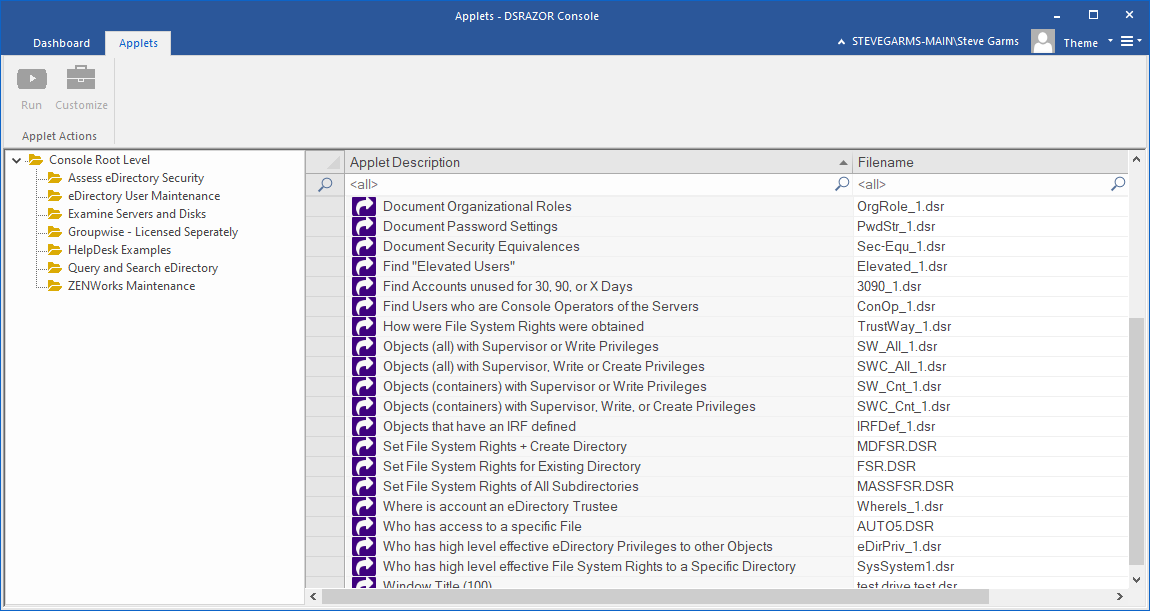
The DSRAZOR Console
provides a structured presentation of interactive and customizable solutions to
help secure and maintain your NetWare NOS and NDS. The Console contains reports
you can use to assess your NDS security and to query your NetWare NOS and NDS
data.
These are some of the specific
interactive NetWare NOS reports provided by the Console:
|
|
|
- Accounts using a Bindery-based Login
- Accounts using a specific file
- Server Module (NLM) dependencies
- Accounts using Server Disk space
- Accounts with Server Disk space restrictions
- Unused or Abandoned Files
|
These are some of the specific
interactive NDS security reports and queries provided by the Console:
|
|
- Accounts locked by Intruder Detection
- Accounts with Trustees who are granted Supervisor level
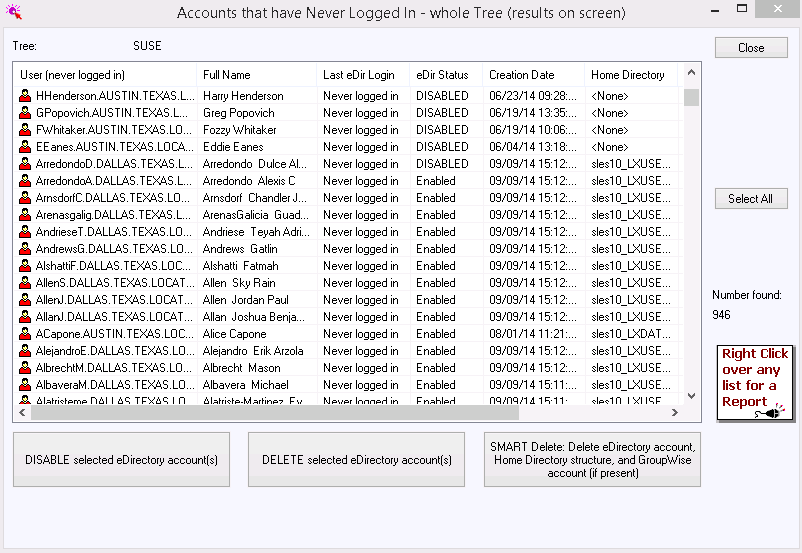
- Accounts that are Dormant, Abandoned or Never Used
- Accounts with an Expired Password
- Accounts not requiring a Password
- Accounts and Containers with Login Scripts
- Containers with no Accounts
- Accounts with an Inherited Rights Filter (IRF) defined
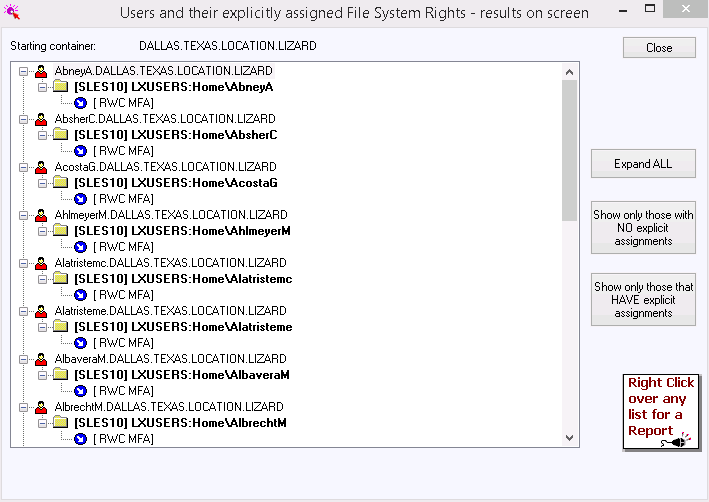
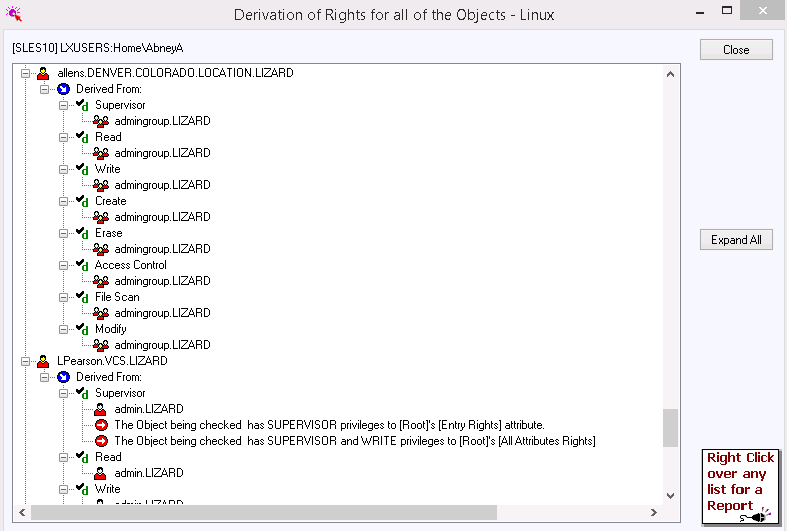
- Account's File System Rights Derivation showing path through which Rights were granted
- Account Phone Number Search
|
|
Designer
|
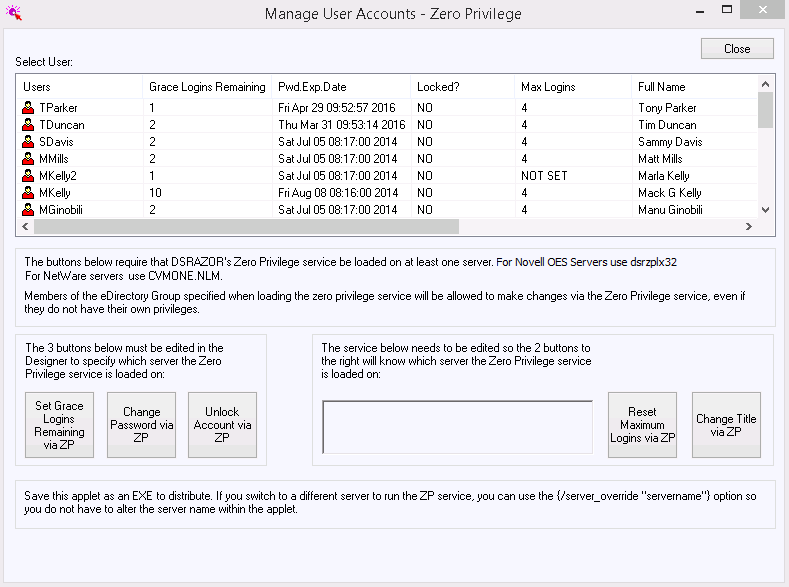
The DSRAZOR Designer
provides a drag and drop development environment that enables the creation of
many types of Applets including those providing reports, queries and maintenance
for both the NetWare NOS and NDS. Further, the Designer enables the user to
customize any of the Console's reports and queries.
These Designer created Applets are
primarily used to reduce the need for experts in maintaining portions of the
NetWare NOS or NDS. The need for experts is reduced when the daily need for 'out
of the box' tools that are overly complex and all powerful is eliminated. These
daily needs are generally related to simple maintenance concerns such as
changing passwords, resetting locked accounts or disabling accounts. When the
need for experts is reduced, so are costly mistakes and training expenses
related to elevating the abilities of junior professionals.
These are some specific interactive
Applets that can be provided by the Designer:
|
|
|
- Help Desk Applet that only provides those functions required in a
manner fitting the need
(i.e. only allowing access to
specific NDS Containers or only Accounts matching a specific
profile)
- Ease Account Maintenance by grouping Accounts based on a specific
query
(i.e. query for dormant NDS accounts
and disable them all at once)
- Ease File Maintenance by finding all connections using a file and
notifying all of the need to exit file usage
(i.e. could also clear use of file by
all connections at once to enable immediate File
Maintenance)
- Reduce overhead in viewing or 'remotely controlling' Z.E.N.works
Workstations
(i.e. present list of only such
Workstations and allow only the ability to remotely control)
- Ad-hoc Applet to query Accounts by name or specific
descriptions
(i.e. query on most NDS attributes,
including Title, Phone/Fax Number, Surname, Address,
etc.)
|
These Applets can be completely
customized to the network for which they are designed. Through use of extensive
Boolean Rules, almost any customization need can be satisfied.
Because many network professionals
are too busy to create or customize their own Applets, Visual Click Software
offers a free service called Create My Solution. An emailed request is all that
is required to make use of this service. To fulfill specific Create My Solution
requests, Visual Click Software may, at its discretion, enhance the
Designer.
|
|
Runtime
|
The DSRAZOR Runtime is
the vehicle that brings Console Applets and Designer created Applets alive. The
combination of the Designer and the Runtime provides solutions that will work
now and in the future. As time moves forward the abilities of the NetWare NOS
and NDS will continue to expand. We are committed to ensuring the Runtime is
constantly improved and maintained to keep pace with changes in the NetWare NOS
and NDS.
All Applets created by the Designer
are stored in DSR files. These binary encoded files (typically less than 25K
each) are used to store the Applet screen designs, functions and rules. Because
the Runtime is separate from the Designer, each Applet operates as its own
stand-alone application. Thus the Designer truly produces Applets that are free
of the encumbrances of operating within a development environment. The user of
the Applet only sees what it was specifically designed to do and no
more.
|
|
Benefits
|
Use of DSRAZOR results
in the following benefits:
|
|
|
- Remove Security
Risks by exposing weaknesses via Comprehensive and Targeted
Reports
- Reduce
Training Expenses by eliminating the requirement to provide "one size fits
all"
tools that are overly complex and too powerful for junior
professionals
- Reduce Security Risks by eliminating the requirement to provide
"one size fits all" tools that are overly complex and too powerful (i.e. easy to
produce mistakes) to junior professionals
- Aid in Capacity Planning with focused Disk Management
Reports
- Reduce TCO with simplified administration of NDS
|
|
Conclusion
|
Visual Click Software's DSRAZOR provides an effective solution to comprehensively secure, query and
maintain Novell's NetWare NOS and NDS.
|
|