|
|
|
DSRAZOR is a Departmental or Enterprise Solution
|
| |
DSRAZOR's design is flexible enough to serve the needs of individual departments within your enterpise or for your enterprise as a whole.
DSRAZOR allows for autonomy in serving the needs of individual workgroups and departments within your enterprise. For instance, DSRAZOR's Zero Privilege Helpdesk functionality is contained within an NLM that need only be loaded upon one server within the workgroup or department. However, there are many features of DSRAZOR that do not require an NLM that can serve the need of the workgroup. These features range from managing NDS/eDirectory user accounts, moving home directories, documenting everyday items such as Bordermanager Rules and Group Membership to determining who has access to a specific file or directory.
On the Enterprise level, DSRAZOR provides many powerful services. For instance, you can Audit access to your NDS/eDirectory and NetWare File Systems - find out what files a specific user account has access to and determine where those permissions originated. Use DSRAZOR to find, correct, and document improperly formed user accounts, those that do not follow your rules such as not requiring a password or allowing a password that never expires. With DSRAZOR you can thoroughly investigate and document your NDS/eDirectory and NetWare File System Security.
|
| |
DSRAZOR is a Patented Solution
|
| |
DSRAZOR's Unique Interface Technology has been granted U.S. Patent No. 6,438,742. The patent applies to DSRAZOR's drag-and-drop technology that allows for easy creation and customization of applets.
Click here to view our patent press release.
|
| |
Simple and Quick Installation
|
| |
The full DSRAZOR product installation is to your workstation's local storage device - optionally to a shared drive. Only the Administrator requires the full product installation. Each DSRAZOR applet can be saved as a stand-alone Windows executable file that can be distributed as required. DSRAZOR is designed for Windows-based desktops using Novell's Client.
DSRAZOR's Zero Privilege Helpdesk NLM is only installed as required and is only a matter of copying two NLM files to the designated server and loading one (which auto-loads the other) with the appropriate command line options. When loaded, the two NLMs use less than 300KB of RAM.
|
| |
Delegate Administration with Zero Privilege Helpdesk NLM
|
| |
When you use DSRAZOR you
receive the power to delegate helpdesk duties. The helpdesk operators that
use your DSRAZOR applets do not require change privileges to your NDS/eDirectory and NetWare File Systems. The administration you delegate can include many many functions, for instance:
|
| |
Reset Intruder Lockout
Change Password
Assign Grace Logins
Disable Account
Create Users
Import Users
Import and assign random passwords - passwords stored
Manage Group Membership
Modify User Disk Space Restrictions
and more!
|
| |
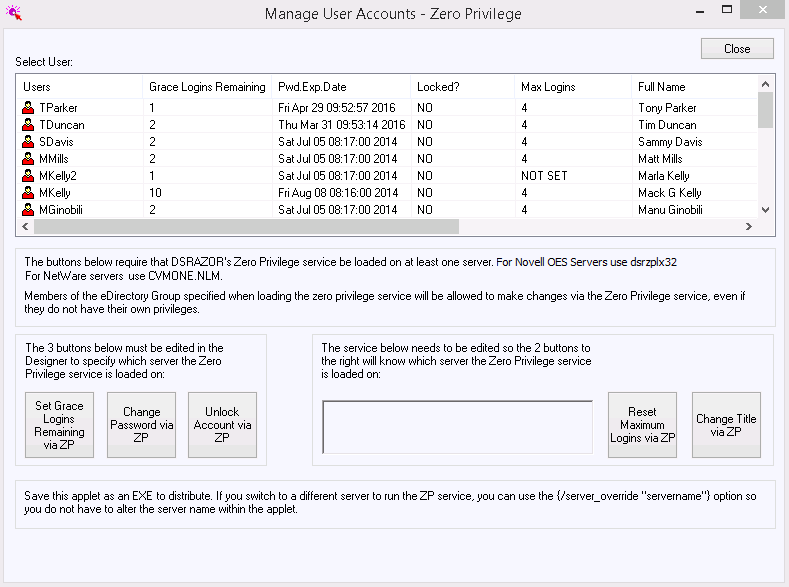
These functions and more are provided by DSRAZOR's Zero Privilege Helpdesk NLM Technology. This NLM logs into NDS/eDirectory as the server it is loaded upon and will have the same rights and privileges to NDS/eDirectory as the server's object. For your helpdesk operators to use the NLM you must:
|
| |
(1) |
Provide the Helpdesk operator with the appropriate DSRAZOR applet
|
| |
(2) |
Include that operator's NDS Account as a member of the NDS Group you specify when you load the NLM
|
| |
|
Further: when you load the NLM you specify an NDS Group whose members will be allowed to use it, all others will be blocked.
|
| |
Create and Distribute Task-Oriented Applets
|
| |
DSRAZOR provides some very special technology not found in any other product by any other company. The DSRAZOR Designer is used to create precisely the applet you need for the job. Click here to see a sample of what our customers have created.
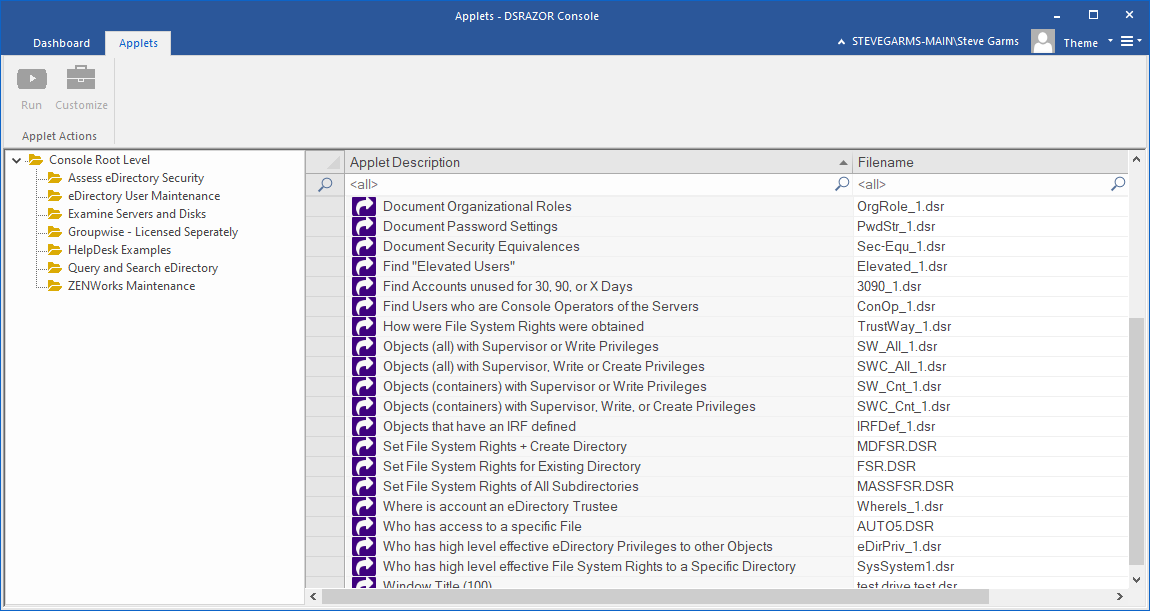
Each applet you modify or create can be saved as a stand-alone executable Windows file that you can then distribute to your staff. DSRAZOR comes with a Console that contains many Helpdesk Applets for you to start with and modify as you require. Many customers simply use those Applets we provide and, perhaps, minorly customize them to better suit their needs.
|
| |
Receive a comprehensive Audit Log when you use DSRAZOR's Zero Privilege Helpdesk Technology in your Applets. The Zero Privilege Helpdesk NLM will record a log entry for each operation it performs. You will know who requested what operation for whom, when and where (workstation address). The log is stored at the server in a directory of your choice.
|
| |
Increase Security and Reduce Training Costs
|
| |
When you use DSRAZOR's Zero Privilege Helpdesk Technology you increase your security and reduce your
training costs. Security is increased by granting only Browse and Read privileges to your helpdesk staff - by not granting change privileges you lessen or eliminate your security exposure.
By creating your own
precisely designed applets that provide only those functions you require
you reduce your training costs. No longer will have to provide training
for top-heavy consoles that can "do it all". Instead you give your staff the "right sized" applet for the job.
Click here to see a sample of Zero Privilege Helpdesk Applets our customers have created and use everyday.
|
| |
Enhanced User Account Management
|
| |
One of DSRAZOR's most useful functions is its ability to focus your user management duties in a precise task-oriented manner. DSRAZOR's Console includes many ready-to-run applets that solve everyday User Account Management headaches. For instance:
|
| |
Smart Delete
- removes NDS Account, Home Directory and GroupWise Account
Find Unused Accounts
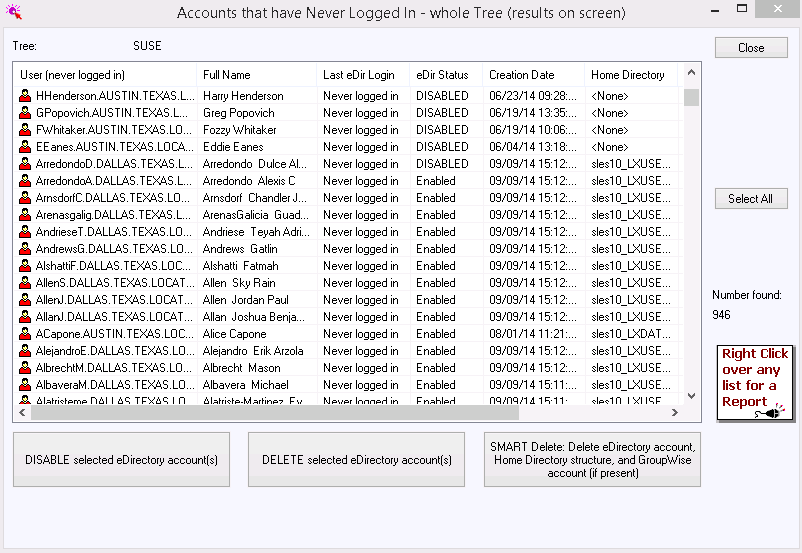
- find and remove accounts unused for 30, 60 or 90 days
Update Home Directory Data within NDS/eDirectory
Import Users, Group Members, NIMS Users, etc!
Login Script comparison and update against a Master Script
Find Duplicate NDS/eDirectory Accounts
Find Accounts that have been logged in too long
and many more!
|
| |
Each of these can be customized to suit your needs visually and functionally. Visually because you can include whatever you require on the applets screen(s). Functionally because you can define your own rules, for instance, you might need to find all users whose passwords will expire in the next week and have not logged on for 30 days. Additionally it is quite easy to create your own applets.
|
| |
Audit and Document NDS/eDirectory
|
| |
DSRAZOR gives you the
ability to comprehensively audit and document your vital NDS/eDirectory
data. When you Audit your NDS/eDirectory with DSRAZOR you can filter on
almost any NDS attribute or combination of attributes. For instance, you might need to find all accounts whose password settings do not match your enterprise standard. Or, your auditor might need to know all objects that have Supervisory privileges to your NDS/eDirectory.
DSRAZOR includes the ability to run reports in "batch-mode". Ordinarily reports run in a window on your desktop. For large reports you can use DSRAZOR's batch-mode which runs the applet on your desktop but does not take away from the use of your workstation for other duties.
DSRAZOR provides many ready-to-run applets to help you Audit and Document your NDS/eDirectory:
|
| |
Unused Accounts
Accounts locked by Intruder Lockout
Group and Organizational Role Membership
Objects with an IRF defined
Duplicate Accounts
Containers with No Objects
Disabled Accounts
GroupWise FIDs
Password Settings Strength
and much more!
|
| |
With DSRAZOR you receive the exact report you need everytime.
|
| |
Audit Document NetWare File Systems
|
| |
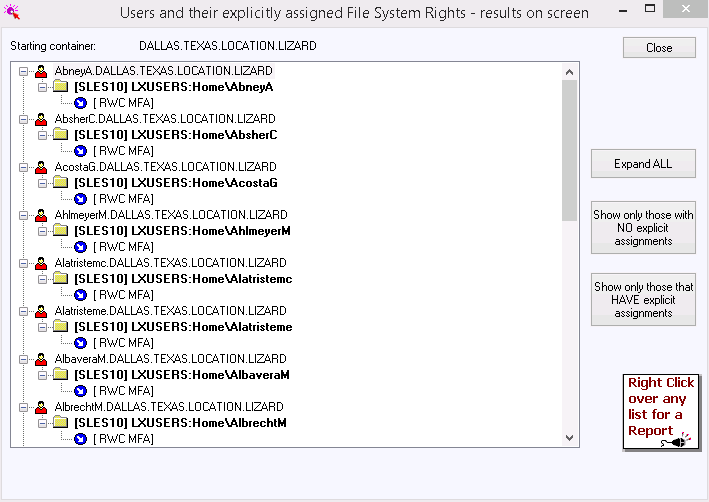
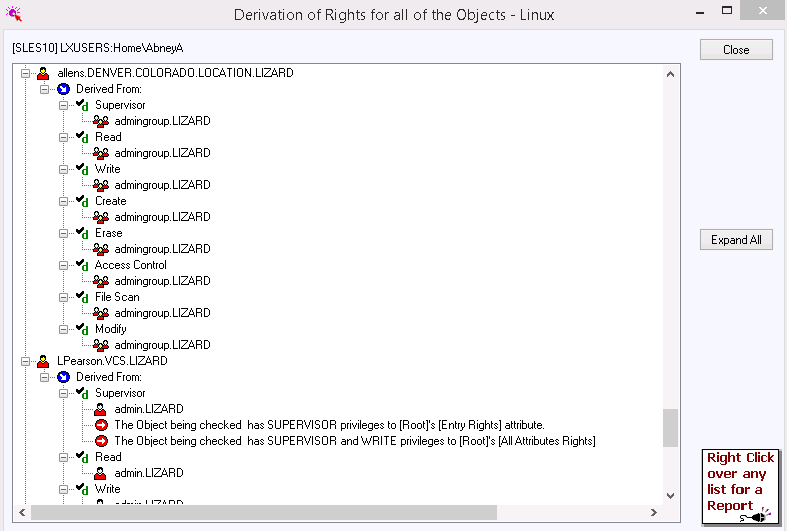
DSRAZOR enables you to audit and document your NetWare File Systems. You can audit and document Security Settings and File/Directory Data. DSRAZOR even includes a "file system rights calculator" that allows you to determine "How File System Rights were granted". This rights calculator allows you to instantly determine how a specific NDS/eDirectory object obtained rights to a selected file system object.
DSRAZOR includes the ability to run reports in "batch-mode". Ordinarily reports run in a window on your desktop. For large reports you can use DSRAZOR's batch-mode which runs the applet on your desktop but does not take away from the use of your workstation for other duties.
DSRAZOR provides many ready-to-run applets to help you Audit and Document your NetWare File Systems:
|
| |
Explicit File System Trustees
Effective File System Trustees
Who has access to Sensitive File System Directories and Files
Disk Space in Use (by user)
Directory Folder Restrictions
User Disk Space Restrictions
Purgeable Disk Space
File System Inheritance Filters
Unused Files
Directories with No Files
Count of Files by Extension (MP3, MPG, EXE, BAT, DLL, etc.)
Latest NetWare Service Pack Installed
File Server Security Set Parameters
and much more!
|
| |
With DSRAZOR you receive the exact report you need everytime.
|
| |
DSRAZOR is a complete administration tool for NDS/eDirectory and NetWare File Systems. Did you know DSRAZOR can also assist with many other duties and tasks associated with running your enterprise network?
|
| |
Below are some ZENworks services DSRAZOR provides:
|
| |
Replicate ZEN Policies and NAL Objects throughout your Tree
Compare NAL Object Inheritance for Groups of Users
Document your NAL Objects and Associations
Document your ZEN Workstations
Remote Control ZEN Workstations without NWADMIN or ConsoleOne
and more!
|
| |
Below are some NDPS and Print Queue services DSRAZOR provides:
|
| |
Document your NDPS and Print Queue Definitions
Create Helpdesk tools to Pause, Resume, Move and Delete NDPS Print
Jobs
Restrict view to just those Printer Agents your staff requires
Create Helpdesk tools to Hold, Resume and Delete Print Queue Print Jobs
Find Stopped NDPS Printer Agents
Set User/Workstation Default NDPS Printer
and more!
|
| |
Below are some GroupWise services DSRAZOR provides:
|
| |
Create Helpdesk tools that manage GroupWise Passwords
Create Helpdesk tools that manage GroupWise Distribution Lists
Smart Delete (of NDS Accounts) that also removes the GroupWise
Match GroupWise FIDs to NDS User Accounts
and more!
|
| |
Below are additional NDS/eDirectory services DSRAZOR provides:
|
| |
Create and distribute stand-alone applets that users can use to update
their own NDS/eDirectory data
Create simple searches for users such as "phone number search"
NDS/eDirectory partition status reporting
Document BorderManager Access Rules
and more!
|
| |
Below are additional NetWare File System services DSRAZOR provides:
|
| |
Watch NCP File Activity for any workstation (requires NLM at server)
Find all files owned by a user or other NDS/eDirectory object
Compare Compressed vs. Uncompressed Directory Sizes
Find all connections using a specific file, send message and clear
connection
Document Home Directory Sizes
and more!
|
| |
Below are File Server services DSRAZOR provides:
|
| |
Document NLM Interdependence (requires NLM at server)
Document NLMs in use including amount of RAM in use (requires NLM at
server)
Send Console Commands without using RConsole - still requires
appropriate privileges
Find Bindery-logged in Connections
Find and clear connections with hung login scripts - these cause NDS
Sync error -128
and more!
|
| |
Below are additional services DSRAZOR provides:
|
| |
Document Binderies of NetWare 3x servers
Create your own Console - design your own
Run other Applications from with DSRAZOR applets and pass specific
NDS attribute to that Application (for instance, network address)
Find all workstations using IPX or IP
View files open by connection
and more!
|
|