CPTRAX for Windows
Real-time alerting and auditing for Windows Server and Workstation
Track file system activity, Active Directory changes, Group Policy changes and server authentications.
Audit workstation logons and files copied to USB, email attachments or web browser uploads.
Detect and stop malicious activity. Learn More
Try CPTRAX Now! Pricing Request a Demo
Get a free trial of CPTRAX for Windows today!
Key Features
-
Real-time email alerting. Stop threats automatically
Know immediately when an action of interest occurs. Pattern alerts can be configured to alert you when interesting actions occur repeatedly on your Windows servers. Automatically stop malicious threats to your data. Learn More -
Customizable tracking profiles
Avoid information overload. You can define which type of activities will be tracked and alerted on. -
Ready-to-run reports
Easily perform operations and compliance reviews with pre-built reports. -
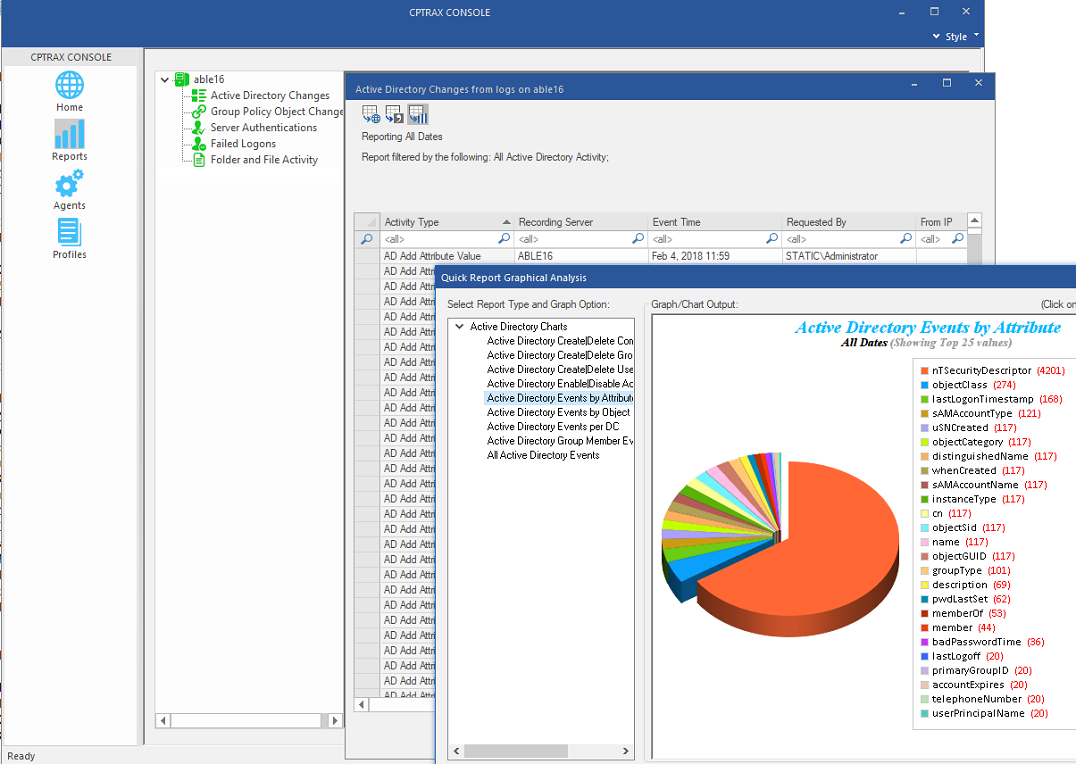
Graphical analysis
Quickly visualize Active Directory and File System activity. Learn More
-
Central management console
Manage the auditing of multiple servers from one console. Management can be performed from different locations by multiple administrators. -
Automated report scheduling
Schedule routine reports to be ran and automatically emailed to the people who should review them. -
Centralized log files
Encrypted logs can be stored at and reported from a central log host server. Retention settings help keep things tidy. -
Data integration
Audited activity can be recorded to your Microsoft SQL Server database. Event information can be transferred to your Syslog server.
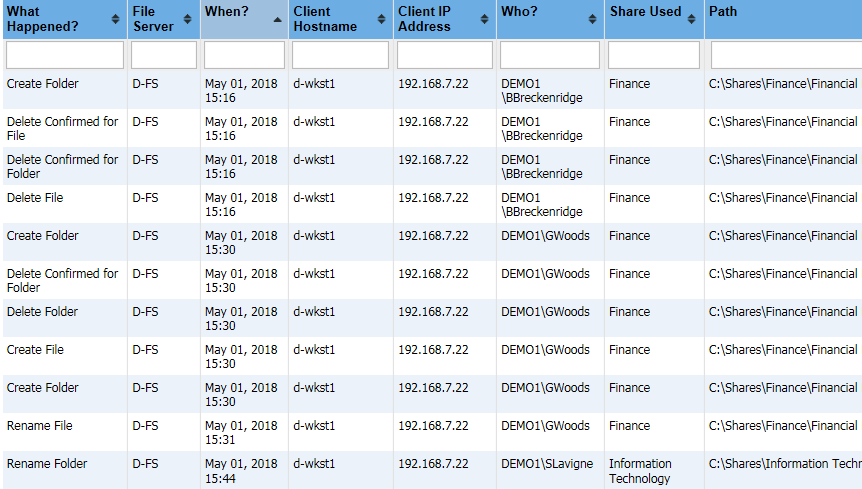
File System activity Who accessed a file? Where did my files go and who deleted/moved them? What files are going off-site?
Audit file and folder opens, creates, writes, deletes, renames/moves, and permission/ownership changes. CPTRAX will tell you the user, workstation name, IP address and share used for file activity.
Track workstation copies to USB or other removable device and files uploaded via a web browser. CPTRAX will provide who is copying files from a server to a workstation or attaching files to an email even if the action occurred while the workstation is offline. Block files from being copied to a removable device.
Learn More Request a Demo Try CPTRAX Now!
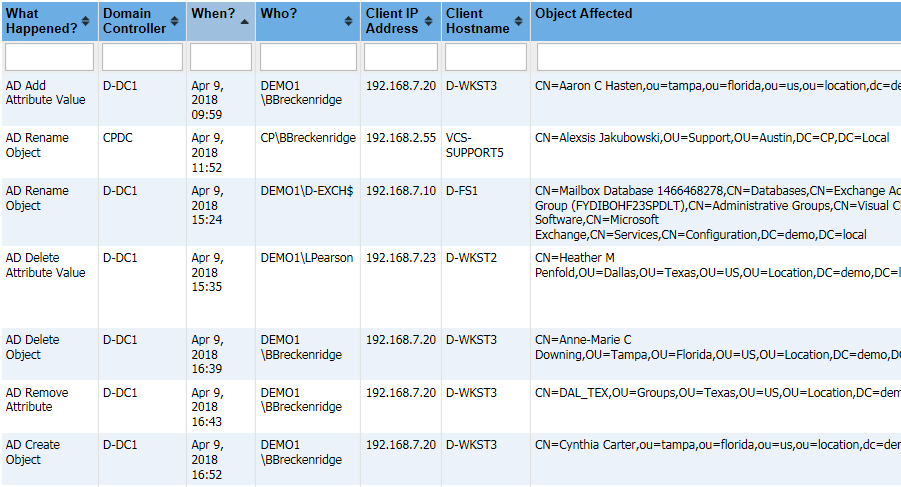
Active Directory changes What users/groups/computers were recently created? Who changed a user attribute?
Track and report Active Directory changes by object class and/or attribute within your entire domain or a specific OU. CPTRAX provides the value added, removed, or modified for attribute changes. Rollback single-attribute changes with a few clicks.
Learn More Request a Demo Try CPTRAX Now!
Group Policy changes
Who is modifying my Group Policy settings?
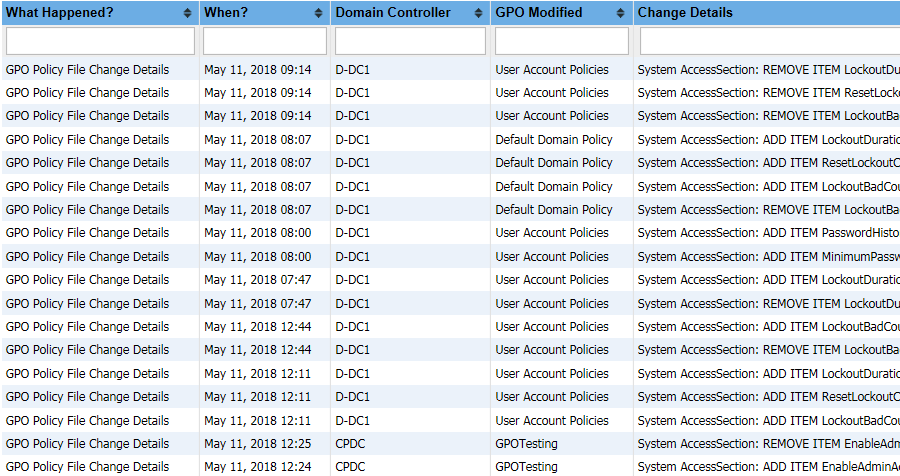
Track creation, deletion, and linking of Group Policy Objects. CPTRAX will also provide before and after values for changes to a GPO's Link Priority, Inheritance, Status, and Version.
Learn More Request a Demo Try CPTRAX Now!
Server Authentications & Workstation Logons Who has logged into Active Directory? When are users logging into their workstations? Which logon attempts have failed?
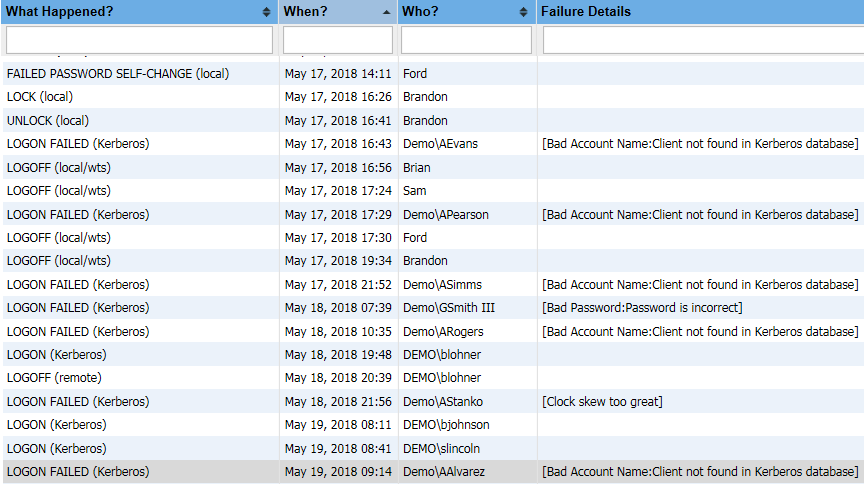
Track and report server authentications by IP range and/or logon name (username). Failed authentication attempts can be tracked and reported by failure type, including bad passwords, expired passwords, bad accounts, and locked/expired/disabled accounts.
Track workstation logon/logoff and password change attempts. CPTRAX will provide workstation lock and unlock times, failed password attempts and all password change attempts, even if the action occured while the workstation is offline.
Learn More Request a Demo Try CPTRAX Now!
Technical Specifications
CPTRAX Server Agent
OS
- Windows 2019
- Windows 2016
- Windows 2012 R2
- Windows 2012
- Windows 2008 R2 (64bit)
CPU
- CPTRAX for Windows has no minimum CPU speed requirements.
- Up to 256 CPUs supported (64bit Operating System)
RAM
- 1GB
Disk Space
- 100MB Disk Space (for CPTRAX installation)
Log Files
Storage
Log files are stored locally at the audited server and/or can be transferred to a Log Host server (the Log Host must have the CPTRAX Server Agent installed).
Log Size
Disk space consumption varies considerably depending on the volume of activity. Daily log file sizes can range from 20MB-3000MB.
File Compression is recommended on the folder used for storing activity logs
SQL and Syslog Support
Support for activity records to be sent to Microsoft SQL Server.
Support for sending event messages to Syslog servers.
CPTRAX Administration Console
The CPTRAX Console is a Windows 32-bit application. Usage of this application requires administrator-level permissions, as well as administrator-level permissions to the servers being audited.
Server File System
Track file activity
Annual Subscription License
for 1 Windows server
-
Licensed by number of Windows servers
(Perpetual License also available)
Server Authentication
Track Server Authentications
Annual Subscription License
for up to 50 enabled user objects
-
Licensed by enabled AD user objects
(Perpetual License also available)
Active Directory
Track Active Directory changes
Annual Subscription License
for up to 50 enabled user objects
-
Licensed by enabled AD user objects
(Perpetual License also available)
Workstation File System
Track Workstation file activity
Annual Subscription License
for up to 5 Windows workstations
-
Licensed by number of Windows workstations
(Perpetual License also available)
Workstation Logon/Logoff
Track Workstation logon/logoff activity
Annual Subscription License
for up to 50 enabled user objects
-
Licensed by enabled AD user objects
(Perpetual License also available)
Group Policy
Track GPO changes
Annual Subscription License
for up to 50 enabled user objects
-
Licensed by enabled AD user objects
(Perpetual License also available)
CPTRAX includes 1 YEAR of our world class support!
Assisted Installation
Our team will help you implement CPTRAX from start to finish.
Unlimited Training
We'll make sure you can get the information you need out of CPTRAX.
Unlimited Support
Our rapid-response support team can assist with any questions you may have.