System Audit, Management and Reporting Tools for Active Directory, Windows File System, Exchange and eDirectory
Visual Click Software offers simple system audit, management and reporting tools to help you manage the data in your network, report on the data the way you want and audit changes to the sensitive data. The ease of use of our system management tools will free up the Active Directory and Windows Administrators so they can focus on higher priority tasks.
Audit:
Active Directory
Windows File System
Server Authentications
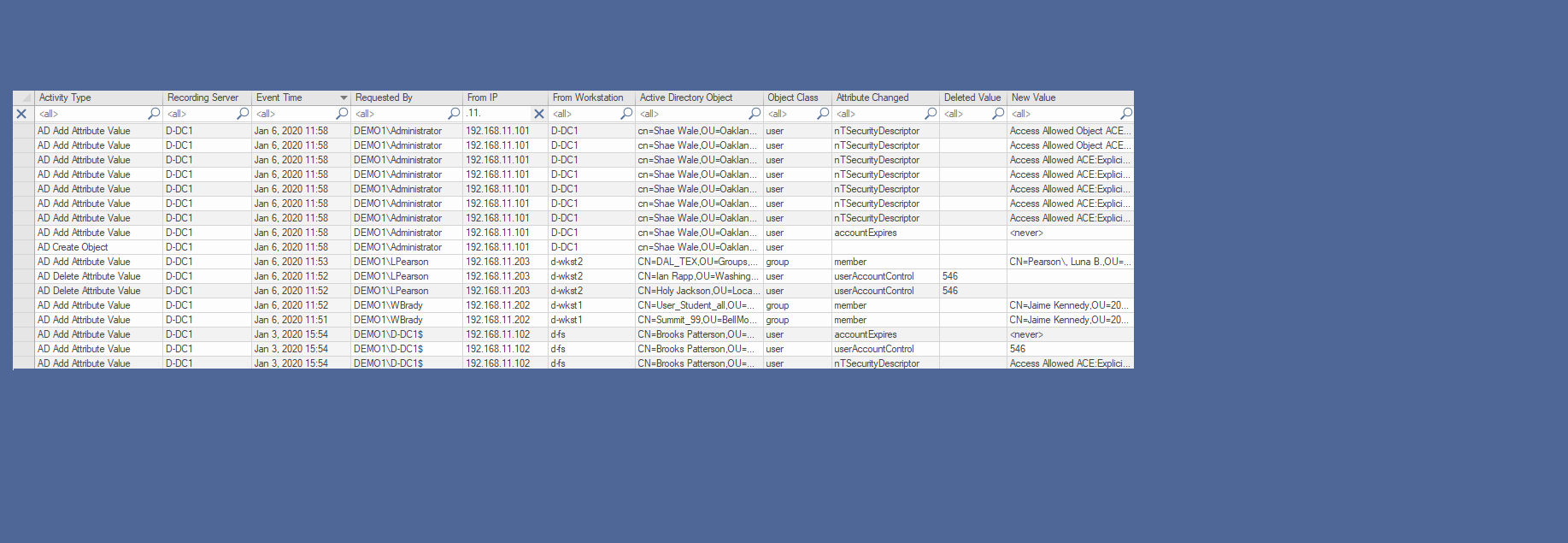
CPTRAX for Windows provides automated Windows server auditing for tracking changes to Active Directory including object class, attributes and schema changes, tracking access to Windows File System and changes to the NTFS files and folders and Server Authentication tracking including login and failed login activity plus real-time alerting. CPTRAX for Windows reports include Originating Workstation Name, IP Address and Permissions that were changed as well as full user account details (SAM, SID, FQDN). CPTRAX for Windows does not use or require the Windows Event Logs.
Following are some links to show how CPTRAX for Windows can help audit your Active Directory changes by object class or attribute, schema changes including new object classes and attributes created. Audit changes to your Windows files and folders including permission changes and ownership changes as well as access to your files and folders.
Auditing Active Directory Changes
Auditing Windows File and Folder Changes
Auditing Windows File Access
Auditing Windows Server Authentication Activity
Maintaining HIPAA Compliance
Manage and Query:
Active Directory
Windows File System
Exchange
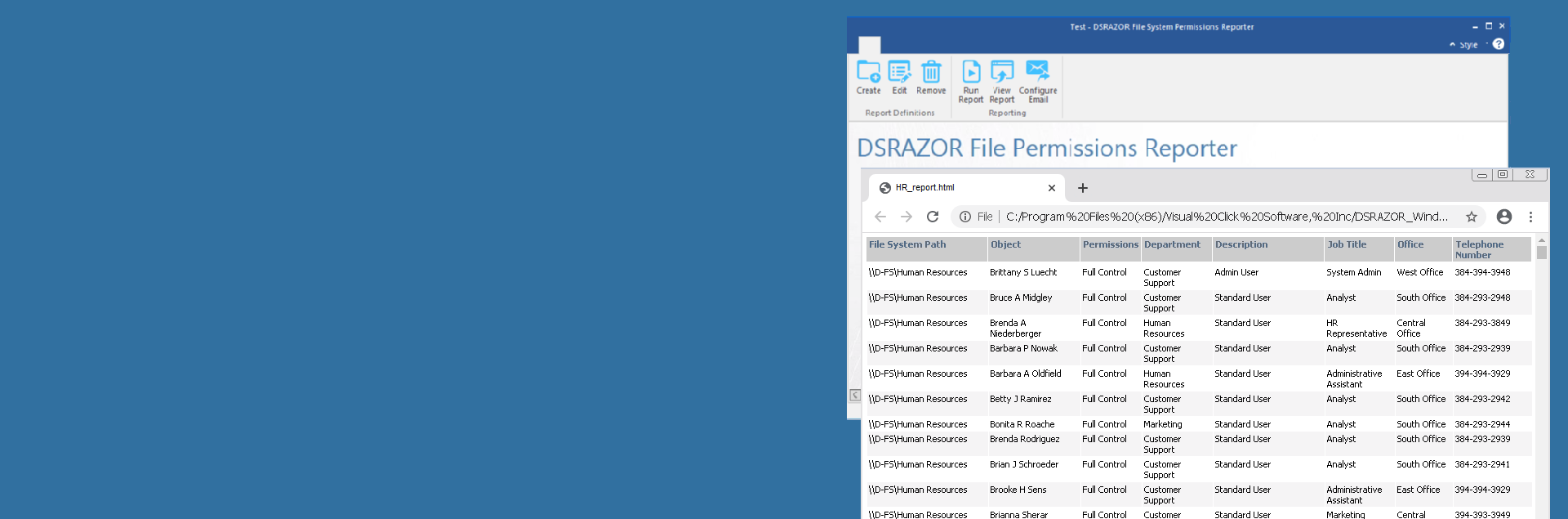
DSRAZOR for Windows allows you to manage and report on just about any attribute (User, Group, Computer, Password, Enable/Disable status, etc.) in Active Directory. You will be able to bulk import or modify users, groups, computers and Exchange contacts. Keep your Active Directory cleaned up by removing unused, locked or expired accounts including home directory and Exchange mailbox DSRAZOR for Windows will allow the Active Directory Administrator to quickly assess and document your Windows NTFS security settings including NTFS share permissions reports and effective NTFS permissions reports. With DSRAZOR for Windows, you can easily delegate any report or management solution as a standalone EXE to end users and eliminate the Active Directory Administrators from spending time on redundant tasks.
DSRAZOR for Windows provides many ways to provision and deprovision Active Directory user accounts, plus their Exchange mailbox including bulk import from a CSV file. Manage your existing data with a bulk modify of user attributes, manage group membership or delegate any management task to your helpdesk in a standalone EXE. Keep your Active Directory cleaned up by finding and removing unused, locked or expired accounts.Active Directory User Management
Active Directory Group Management
Active Directory Account Management
Create Active Directory Users
Import Active Directory Groups
Reset/Change Local Administrator Password
Active Directory Zero Privilege Help Desk
Exchange Management Tools
Create Exchange Mailbox
Manage and Query:
eDirectory
DSRAZOR for eDirectory allows you to manage and report on just about any attribute or object (User, Group, Password, etc.) in eDirectory. DSRAZOR for eDirectory you will allow you to quickly clean up your eDirectory by deleting unused accounts and groups, removing the home directory and GroupWise account. Create users by importing data from a CSV file, set random passwords, create home directory and set ownership, create users with a template and set group membership. You can Search and Replace on Login Scripts. Delegate your eDirectory reports and management tasks as a standalone EXE to end users.
DSRAZOR for eDirectory has many reporting and management solutions for eDirectory, SUSE Linux and GroupWise. Find your unused, expired, locked or disabled accounts and delete them. Clean up your eDirectory before a migration to Windows or SUSE Linux. Find out who has effective eDirectory privileges or Objects that have Trustees with Supervisor or Write privileges. Create or import users or group members, plus update attributes, home diretory or create GroupWise account.
eDirectory and SUSE Linux User Account Management
eDirectory and SUSE Linux Comprehensive Reports
Automatically Provision eDirectory Users
Automatically Deprovision eDirectory Users
Manage and Query:
GroupWise
DSRAZOR for GroupWise will help you audit and manage your GroupWise installations. DSRAZOR for GroupWise you will allow you to change GroupWise passwords, manage GroupWise distribution list memberships and delete GroupWise accounts. Other tasks include count GroupWise users, find GroupWise users with no password, manage distribution list membership, find users not belonging to a distribution list, document disk space usage, set GroupWise visibility, manage GroupWise passwords, enable or disable GroupWise logins and import distribution list members.